Worksheets · PDF
Guitar Lesson Planner · Per-Student Template
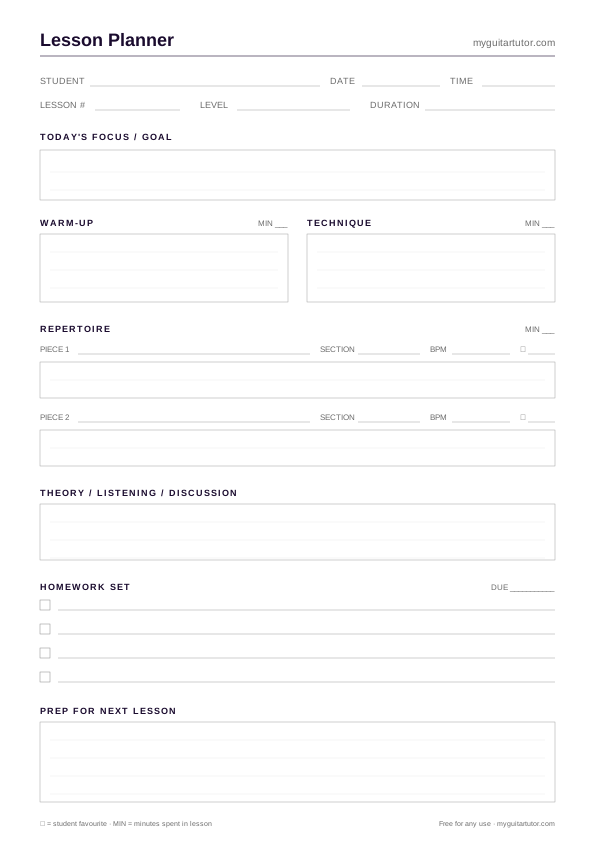
Free printable A4 guitar lesson plan template — warm-up, technique, repertoire, theory, homework, and next-lesson prep. Designed for tutors planning the next 30–60 minute session.
The four printable sheets that, used together, form one continuous teaching workflow: plan the lesson, record what happened, set the week's practice, track the term's progress. Free, printable, designed for working one-to-one guitar tutors.
In this hub
Free printable A4 guitar lesson plan template — warm-up, technique, repertoire, theory, homework, and next-lesson prep. Designed for tutors planning the next 30–60 minute session.
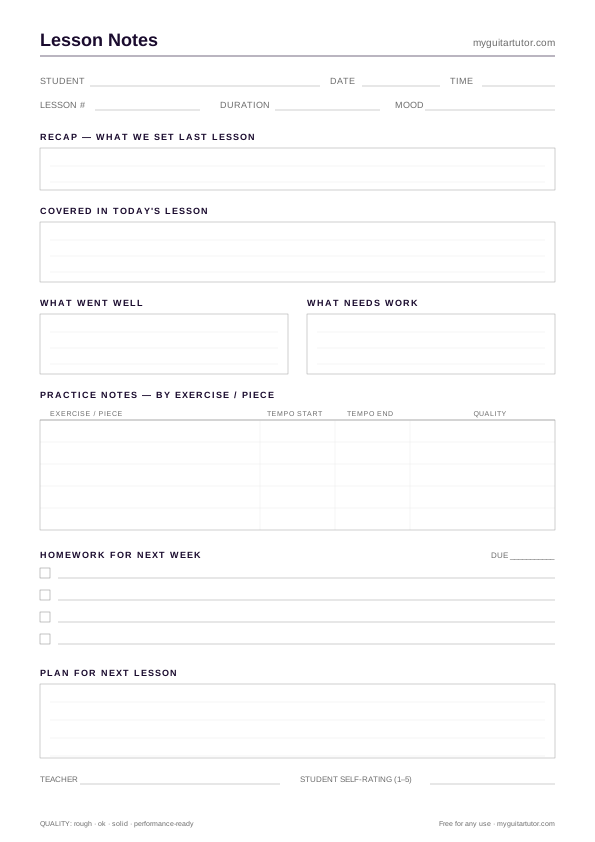
Printable A4 lesson notes template for guitar tutors — recap, what we covered, what went well, what needs work, practice notes by exercise, homework set, and next-lesson plan.
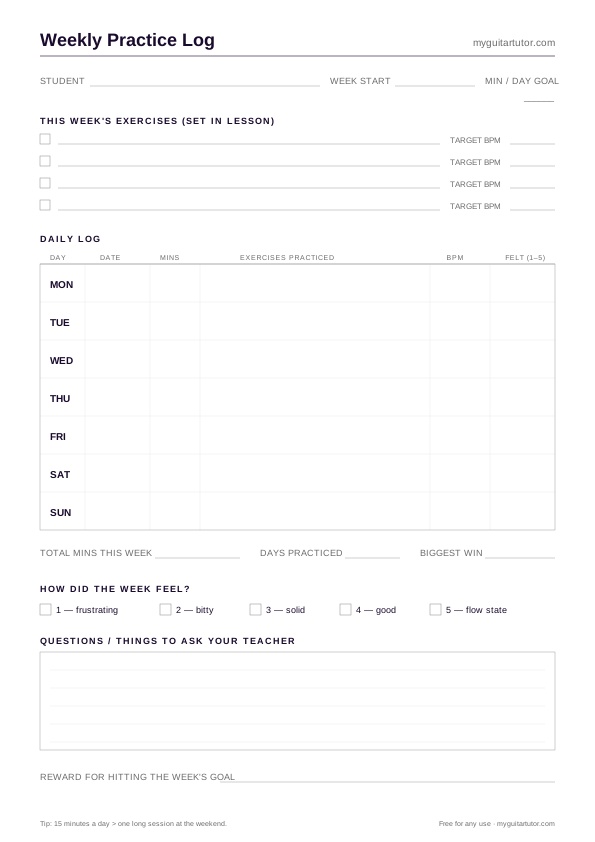
A printable A4 weekly practice log for guitar students — seven daily slots, target tempo tracking, exercise checklist, and a "how did the week feel?" rating. Hand to students at the end of a lesson.
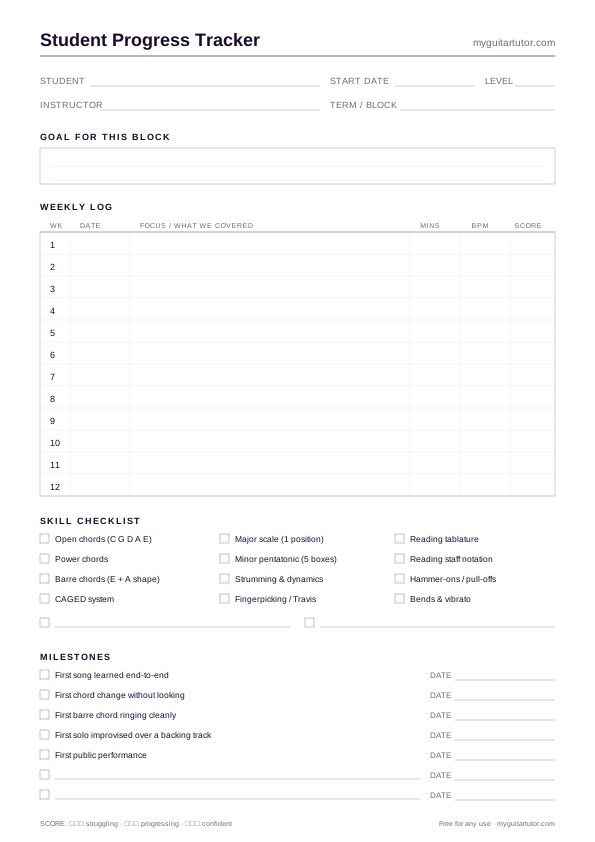
Free printable A4 student progress tracker for guitar tutors — 12-week weekly log with focus, tempo and score, plus a 12-item skill checklist and milestone list. One sheet per student, per term.
Four printable A4 templates for guitar teachers — lesson planner, per-session notes, 12-week progress tracker and a weekly practice log for students. Free, no signup, designed for the way one-to-one guitar lessons actually run.
A practical guide for guitar teachers on structuring one-to-one lessons — the five-block format, timing splits for 30/45/60 minute lessons, common planning mistakes, and a free printable lesson plan template.
The reason most teaching plans / practice logs / lesson notes don’t survive past month three is that they’re designed in isolation. A great-looking lesson plan template doesn’t connect to anything; a beautiful practice log lives separately from the lesson record; a progress tracker turns into a chore because it’s the only thing the teacher fills in. The friction adds up and the whole thing collapses.
This collection takes the opposite approach: four sheets, designed together, that pass information between each other. The lesson planner sets up what we’re going to cover today. The lesson notes record what we actually covered. The practice log hands a written set of homework to the student. The progress tracker pulls the highlights of those weekly notes into a longer-arc record across a 12-week term. Use one sheet and you get one tool; use all four and you get a system.
The flow looks like this:
Before the lesson → the lesson planner gets pre-filled. Student name at the top, planned activities in the five blocks (warm-up, technique, repertoire A + B, theory, homework). This takes ninety seconds if you already know what you’re teaching this week. If you don’t, it forces you to decide before the student walks in — which is a feature, not a bug.
During the lesson → the planner sits next to the music stand. As you teach, you annotate it (a tick, a strikethrough, a scribbled note). In parallel, you fill in the lesson notes template — the per-session record of what actually happened, what went well, what needs work, tempos hit, etc. This is the sheet that does most of the heavy lifting: it’s the artefact you’ll read at the start of next week’s lesson, and the source of all the data the progress tracker eventually pulls in.
At the end of the lesson → the weekly practice log goes to the student. The four exercises for the week are filled in based on what you actually covered (which means they’re calibrated to the student’s current ability, not pre-baked). Target BPMs are noted. The student takes it home, sticks it on the music stand, and (if you’re consistent about reviewing it at the start of every lesson) actually fills it in.
At the end of the term → the 12-week progress tracker gets a summary row for each week — pulling from the lesson notes. The 12-item skill checklist gets ticks based on what the student has demonstrated fluently across the term. The milestones list captures the wins worth celebrating. In the final lesson of the block, you sit down with the student and walk through the completed tracker. This is the single highest-retention activity in the teaching practice.
The pattern that emerges from analysing student dropout is consistent: students don’t quit because the teaching is bad, and they don’t quit because they can’t afford it. They quit because they don’t feel like they’re getting anywhere. A student who can’t see twelve weeks of progress will rationalise it as “I’ve been doing this for three months and I’m still rubbish” — even if, objectively, they’re materially better at the instrument than when they started.
The progress tracker is the antidote. Twelve weekly rows, twelve skill ticks, half a dozen milestones. At the end of a teaching block, the student can see the progress. The teacher can show the progress to the parent. The dropout conversation goes from “I don’t feel like I’m getting anywhere” to “look at what you’ve done in twelve weeks”. For more on why this matters and how to make it a 60-second-per-lesson habit, see How to track guitar student progress.
Logistically, the sheets are designed to be used as a physical stack. Most working tutors print 15 of the planner, 15 of the notes, 15 of the practice log per term per student, plus 1 progress tracker per student per term. The whole pile fits in a student folder. At the start of each lesson, you pull off the top set (planner + notes for today’s lesson). At the end, you hand over the practice log. At the end of the term, you fill in the progress tracker and archive everything.
The alternative — keeping all of this digitally — works for tutors who already lean towards software-centric admin. The disadvantage is that filling in a tablet during a lesson interrupts the eye contact and physical demonstration that defines good one-to-one teaching. Paper is silent; paper doesn’t need unlocking; paper doesn’t distract.
These four sheets cover the per-lesson and per-term teaching workflow. They don’t cover scheduling, fee tracking, student onboarding, parent communication, or anything else in the studio admin layer — those are software problems. The myguitartutor teaching app is built to handle the admin without taking over the teaching: scheduling, payments, student records, and (eventually) integrated practice tracking that can pull from these paper sheets via OCR. Best of both worlds is the goal — keep the teaching paper-first, automate the admin.
FAQ
Other curated bundles of resources, tools and writing in adjacent topics.
The broader library — printables beyond the teaching workflow: blank tab paper, chord charts, fretboard maps, scale references.
Reference materials students keep next to the instrument — blank tablature and the essential open-chord chart.
The five-block lesson structure these planners are built around — read this if you want the theory behind the templates.