Tablature · PDF
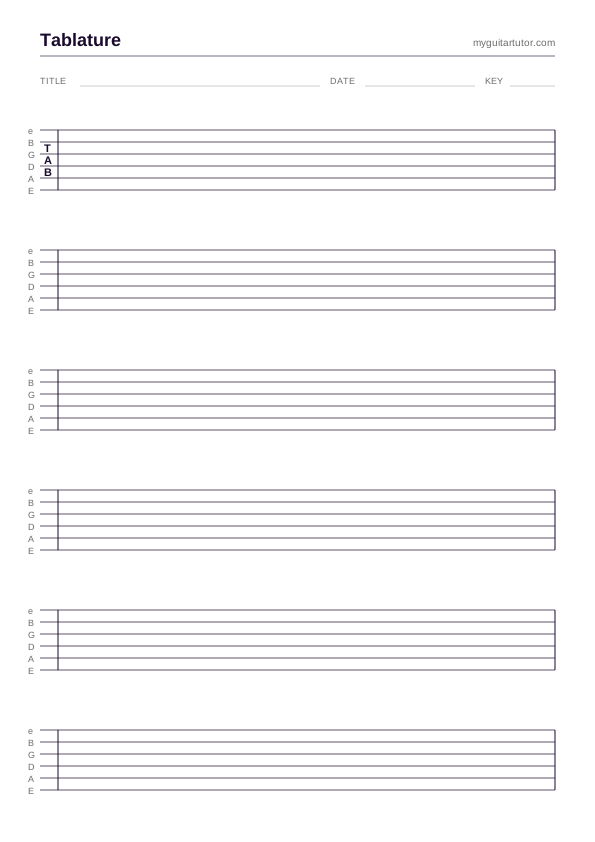
Blank Tablature Paper · 6-string
Print-ready blank guitar tablature in A4 portrait, six staves per page. Wide spacing for handwritten notation, fingering and timing marks.
The two printables every guitar teacher needs within arm's reach: blank tablature paper for sketching riffs in real time, and the open-chord cheat sheet for handing to beginners after lesson one. Plus the tools that complement them when paper isn't enough.
In this hub
Print-ready blank guitar tablature in A4 portrait, six staves per page. Wide spacing for handwritten notation, fingering and timing marks.
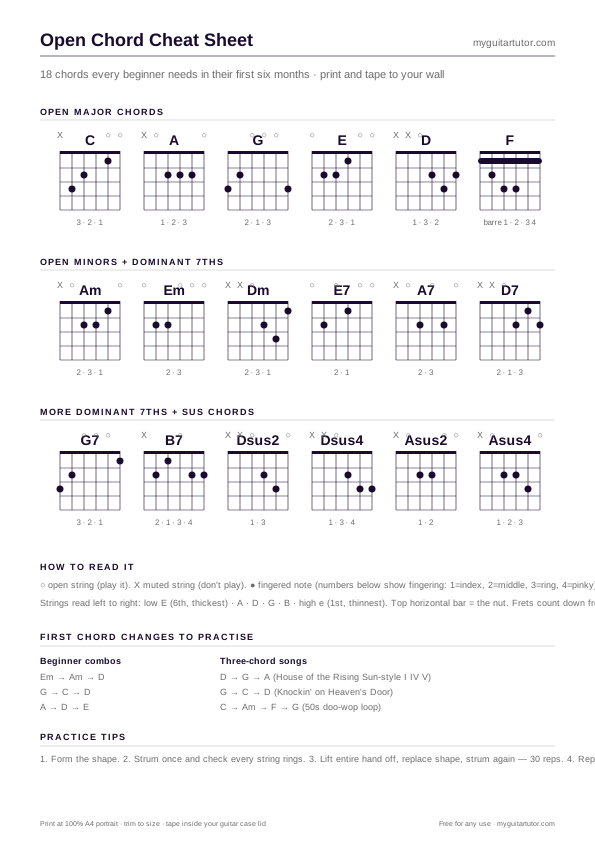
A one-page reference for the 18 most-used open chords — majors, minors, dominant 7s and sus chords. Print and tape to your wall.
Already have the riff in Guitar Pro? Drop the file in, get a printable A4 PDF out — no manual transcription needed. Free, browser-based, in-memory only.
When the cheat sheet doesn't cover the voicing you need — generate a custom chord diagram in your browser and download as PNG.
~800 indexable chord pages covering every common voicing in standard tuning. Browse, search, jump to printable diagrams.
Among the nine printables in the library, the blank tablature paper and the open-chord chart are consistently the two most-downloaded. The reason is that they’re the only two that get reached for in every lesson — the others are situational (you don’t need the circle of fifths every week, you don’t fill out a progress tracker after every session). These two are the daily-driver sheets, the ones that get used until they’re creased and tea-stained.
Blank tab paper has been a staple in guitar teaching for fifty years for one reason: the act of writing music down by hand in front of a student is one of the highest-bandwidth teaching moves you have. You’re showing them not just the notes but the process of figuring out the notes. They watch you erase, re-sketch, draw an arrow, change your mind. By the time you hand them the finished sheet, they’ve seen the line built from the ground up.
The open-chord chart serves a different purpose. It’s less about teaching and more about not teaching — about giving a beginner a self-service reference so they don’t have to email you in the middle of the week to ask “how do I play D again?”. A chord chart that lives inside the guitar case lid removes that friction. The student picks up the guitar, sees the diagram, plays the chord. No phone, no app, no waiting for a response.
Six 6-line staves per page, A4 portrait, 100% scale. Generous vertical spacing so a handwritten fret number doesn’t crowd the next one. The whole sheet is plain enough that it gets out of the way — you’re writing music on it, not admiring the design.
Six staves per page works out to roughly 16–24 bars of medium-density riff. For longer pieces, multiple sheets stapled together. For shorter sketches (a 4-bar lick to give a student as homework), you’re using half a sheet — most tutors fold them in half and stack the resulting half-sheets in their student folder.
There are alternatives worth knowing about. Guitar Pro → PDF handles fully-notated pieces with proper rhythm — much better than handwriting if the source already exists in GP format. The chord encyclopedia covers the entire indexable chord vocabulary if you need a voicing the cheat sheet doesn’t show.
18 open chords laid out in a single A4 landscape page: 6 majors (C, A, G, E, D, F), 3 minors (Am, Em, Dm), 5 dominant 7ths (E7, A7, B7, D7, G7), and 4 sus chords (Dsus2, Dsus4, Asus2, Asus4). Each diagram shows finger numbers and string-by-string fingering. F is shown in two versions: the full barre and a simplified three-finger Fmaj7-ish voicing for beginners whose grip strength hasn’t caught up yet.
The chart is designed to live somewhere visible — inside the case lid, on the wall next to the music stand, in the front of a practice folder. It’s not designed to be a comprehensive chord reference; that’s what the chord encyclopedia is for. The 18 chords here are the high-frequency vocabulary a beginner uses in their first six months. Once they outgrow it, the next teaching block is barre chords — which unlocks all twelve keys and warrants its own reference sheet (in the roadmap).
A few honest cases where digital beats paper for tab and chord work:
The pattern: paper for the high-frequency reference and the messy sketching; digital tools for the long tail and the polished output. Both are free here.
FAQ
Other curated bundles of resources, tools and writing in adjacent topics.
The full library — beyond tab paper and chord charts: lesson planners, progress trackers, scale references, fretboard maps.
The teaching-workflow subset — sheets that bracket the lesson rather than reference materials.
A topical example — what a curated practice hub looks like when focused on one key.