Tablature Free · No login · PDF · 19 KB

Blank Guitar Tab Paper

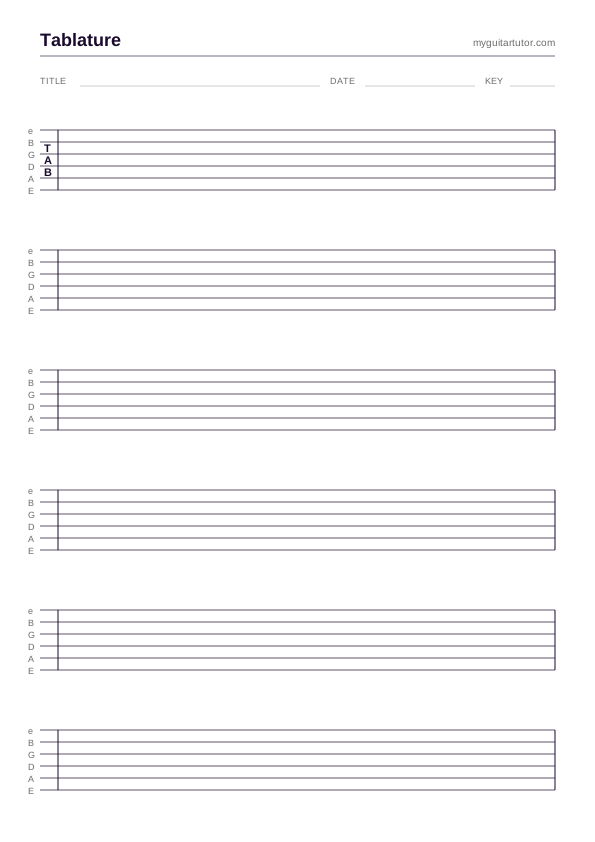
Free printable blank guitar tablature — A4 portrait, six 6-line staves per page, generous vertical spacing so a written note doesn't crowd the next one. For transcription, lesson notes, riff sketches and student homework.

#blank #tab #a4 #printable #practice

Free for personal practice, classroom & lesson use. No attribution required.

When blank tab paper still beats software

Tab editors are great for finished work. They’re bad for the messy, iterative process of figuring out a riff. The reason: typing into a tab editor forces you to commit to a fret before you really know it’s right. With a pencil and a sheet of blank tab, you sketch a number, erase, sketch again, draw an arrow up to a different string — you’re moving at the speed of your ear, not at the speed of clicking through menus.

The other place blank tab paper shines is the teaching room. Hand-writing a riff in front of a student is a high-bandwidth way to teach — they see the geometry of the line emerge as you go, and they have a physical artefact to take home. Six staves on a page is enough for a riff, a phrase, a turnaround. The student goes home with their lesson literally in their hand.

Tab convention, briefly

Six horizontal lines = six strings. Top line is the high E (1st string), bottom line is the low E (6th string). Numbers on a line = fret to play on that string. Numbers stacked vertically = chord. Letters between numbers = articulation (h = hammer-on, p = pull-off, b = bend, ~ = vibrato, / = slide up, \ = slide down).

Rhythm is not encoded in tab by default. The most pragmatic move is to write count marks (1 e + a, 2 e + a) under the stave, or rely on a known reference recording. For pieces where rhythmic precision matters, you’re probably better off in Guitar Pro — and you can convert it to PDF with the browser tool.

Most working tutors keep a small stash of these printed and folded inside their student folder. When a student says “can you write that out for me?”, you reach for one, sketch the line in thirty seconds, hand it over. The whole transaction takes less time than opening a tab editor.

How to use it

How to use blank guitar tablature paper

  1. 01

    Print at 100% scale on A4 portrait

    Both PDF and SVG print at A4 portrait, 100% scale. Don't use "fit to page" — the stave line spacing is calibrated for handwritten numbers at a comfortable size.

  2. 02

    Use the top line as the high E (1st string)

    Tab convention: the top stave line is the highest-pitched string (E, 1st). Bottom line is the low E (6th). This matches what you see when you look down at the fretboard while sitting with the guitar — top of the page = top of the fretboard.

  3. 03

    Write fret numbers, not pitches

    Tab notation uses fret numbers on the appropriate line. "5" on the second-from-top line means "fret 5 of the B string". Stack numbers vertically for chords. Write "0" for an open string.

  4. 04

    Add fingering, articulation and rhythm in the gaps

    Below each stave, use the space for fingering numbers (1=index, 2=middle, etc.), articulation marks (h for hammer-on, p for pull-off, b for bend, / for slide up, \\ for slide down), and rhythm hints (Q for quarter, e for eighth, sometimes a count). The wide spacing is deliberate — you have room.

  5. 05

    Six staves per page = roughly 16–24 bars of riff

    Per page, six staves works out to roughly 16–24 bars of medium-density riff. Long pieces will need multiple sheets — number them top-right as you go.

FAQ

Quick
answers.

The questions teachers most often ask about this resource — sizing, licensing, how to actually print it.

Why blank tab paper instead of a digital tab editor?

Two reasons. (1) Sketching — figuring out a riff by ear is faster with a pencil than typing into a digital editor. Once you've got the notes locked in, you can transcribe it digitally. (2) Teaching — handing a student a written tab sheet at the end of the lesson cements what they just learned. Digital tabs evaporate; paper tabs go in the case.

What's the difference between guitar tab and standard notation?

Tab tells you where to play (which fret on which string). Standard notation tells you what to play (pitch + rhythm). Tab is unambiguous for the fingering but loses rhythmic detail unless you add it; notation is the opposite. Most teaching uses tab + count marks + a known reference recording. For full timing precision, use the Guitar Pro → PDF converter with a notated file.

Can I print on smaller paper sizes (US Letter, A5)?

A5 — yes, but use the SVG and scale. US Letter — print the A4 PDF at 100% on Letter and you'll lose a few mm at the bottom, which is fine for blank stave paper. The SVG alternate scales to any size.

Are there 4-string or 7-string versions?

Not yet. 6-string is the default for 95% of working tutors. If you teach bass or 7/8-string guitar regularly and want a customised version, email [email protected] — happy to add it to the queue.

Can I use this for ukulele?

Cross out the top two lines and you're left with 4-string tab. It'll work for ukulele or bass at a pinch. For ukulele the spacing is on the generous side; for bass it's ideal.

Why six staves per page and not eight?

Eight staves per page makes the vertical spacing too tight for legible handwritten numbers — especially when you need to add fingering or articulation marks underneath. Six is the goldilocks number: enough music per page that you're not constantly turning sheets, generous enough that the handwriting stays readable.

Ready?

Grab the pdf.

Download PDF · 19 KB
Keep digging

Related resources.

More templates and charts in the same workflow.